Ask for the sound in your head. The AI finds it.
PresetDock turns your folders full of .hlx files into an ordered library — and puts an AI-powered search on top of it: describe the sound in your own words, it translates that into filters and tells you why it picked those presets.
App for Windows 10 and 11 · no Mac version yet
The AI understands “delay like The Edge”
No filters to set by hand. Type the request the way you'd say it to a friend: the assistant works out the artist, the amp brand, the effects and the character of the sound, searches your library and explains every suggestion.
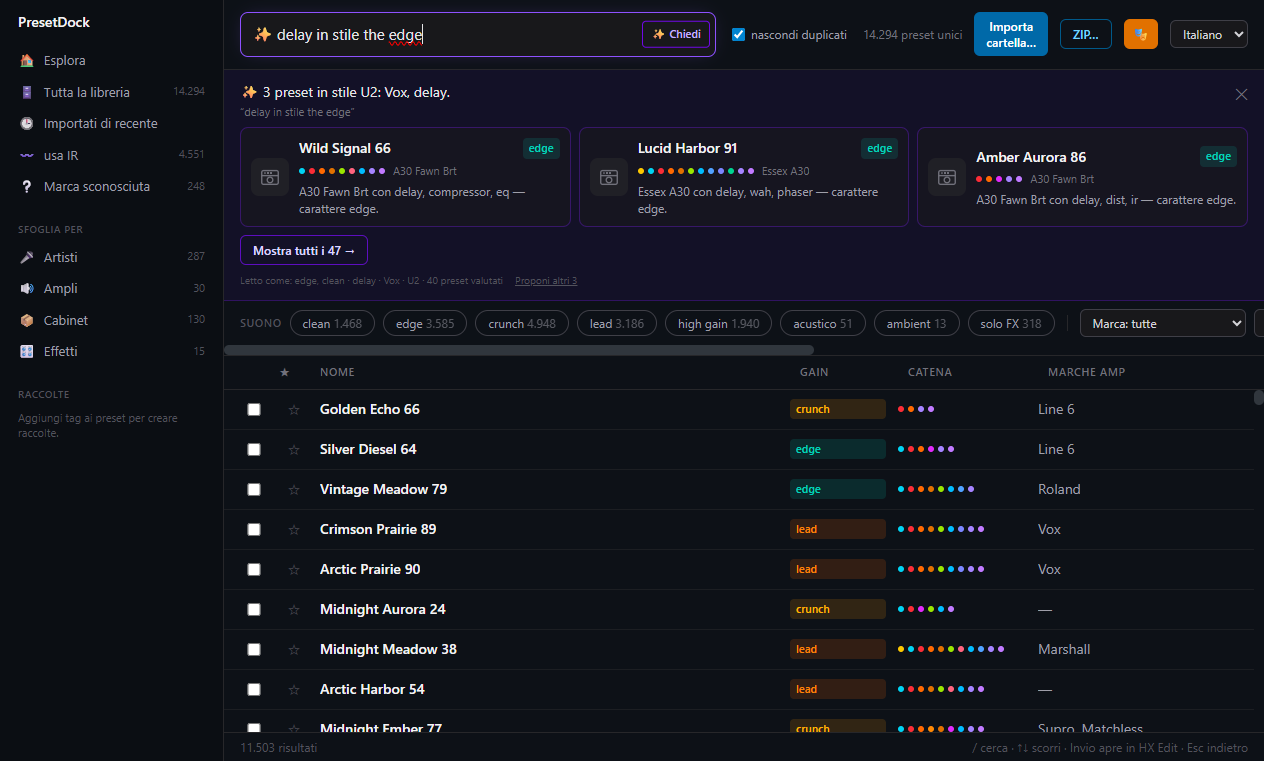
“The Edge” becomes U2, Vox, delay, edge character. It knows the aliases: asking for the guitarist finds the band's presets.
Every suggested preset comes with the reason: which amp, which effects, what character. You know why before you open it.
“Show all 47” opens the full list in the normal filters, which you can widen or narrow by hand. And “suggest 3 more” swaps the picks.
No account to create, no key to paste: 50 searches are included and work the moment you install. After that you top up from €2.99, or use your own OpenAI key. See pricing →
The search runs on your computer. All that leaves is one line of text per candidate — name, brand, effects — never the .hlx files, never the paths on your disk.
Without AI search the rest of PresetDock works just the same: library, filters, effects chain and open-in-HX-Edit are all local.
Look inside
Dark interface, everything a click away. These are real screenshots of the app, taken on a personal library with the preset names masked: what you see is what PresetDock does with the files you load.
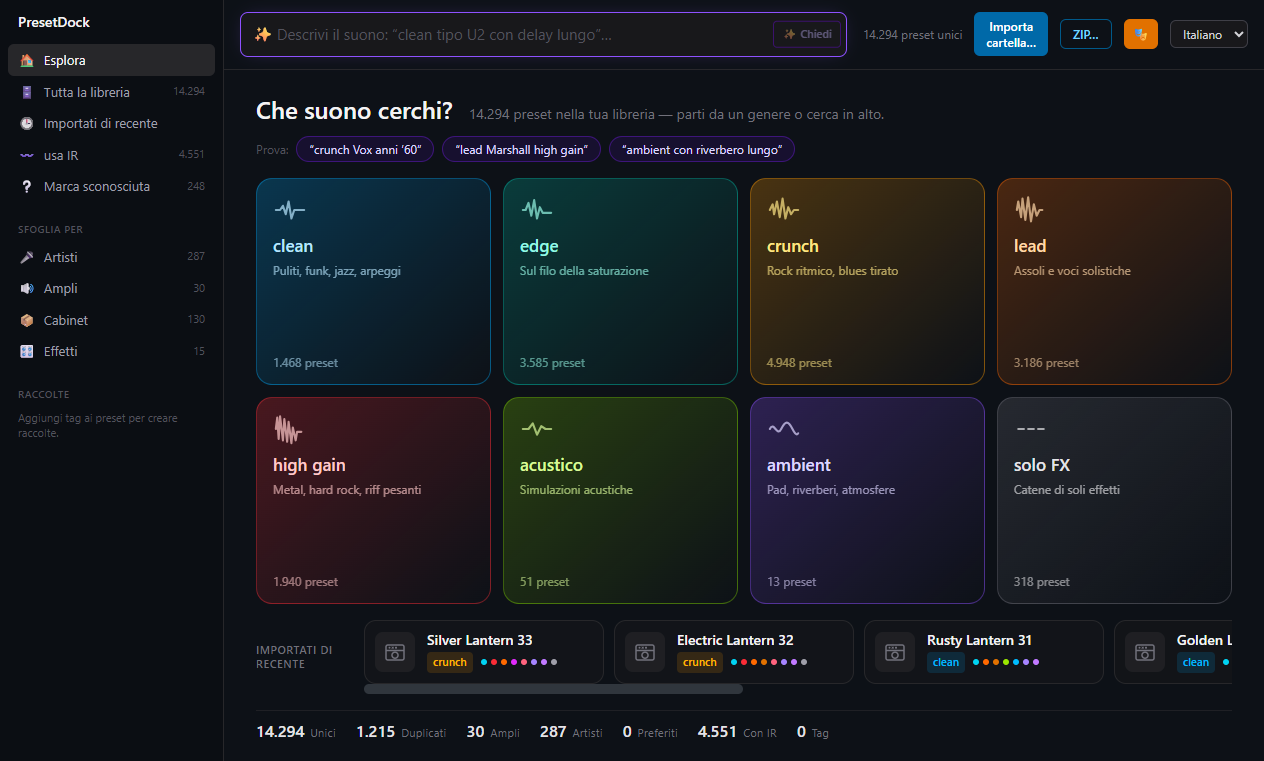
Start from the sound in your head
Cards by character — clean, crunch, high gain, ambient — with the real counts from your library. Or type in the bar at the top and let the search do the work.
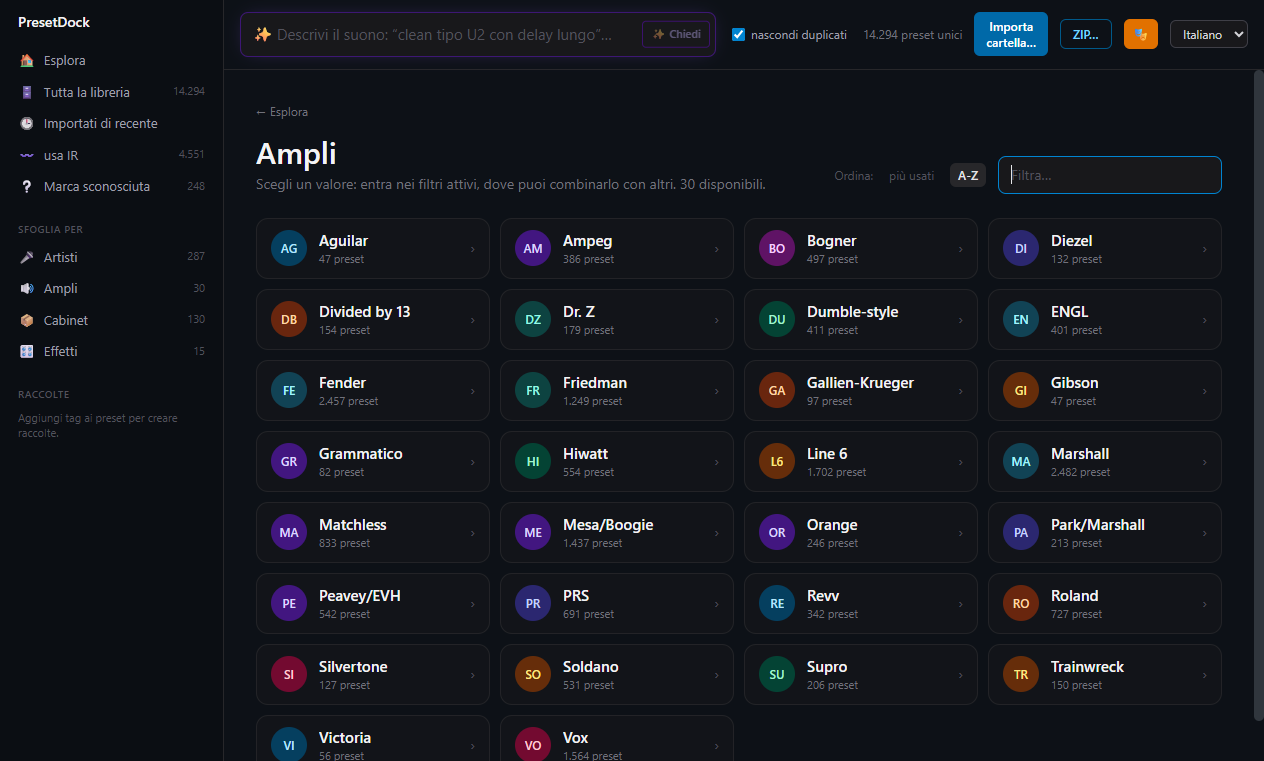
From Aguilar to Vox
Every amp recognised and grouped by brand, with the preset count beside it. One click and you're looking at nothing but Marshalls — and you can combine it with gain and effects.
Like Spotify, but for your own presets
PresetDock contains no presets: it organises the ones you already have. Load your folders once, and from then on you search, filter and open in HX Edit — including presets buried inside setlists.
Instant search
Type and the results change as you go. Name, author, song, band, effects: everything is indexed, and it holds up without slowing down on the largest libraries.
Filter by sound
Clean, crunch, lead, high gain: every preset is classified by character. Combine gain, amp brand and effects to close in on what you want.
The chain at a glance
Each preset's effects chain, block by block, in the category colours and with the amp's knobs. You know what's inside before you load it.
AI search
“Delay like The Edge” becomes: U2, Vox, delay — with three suggested presets and why they might be what you're after. See how it works ↑
Straight into HX Edit
Double-click and the preset opens in HX Edit, or drag it out as a file. It works with presets inside setlists too.
Entirely local
No cloud and no telemetry: your library stays yours alone. PresetDock organises files you already own and distributes nobody's presets.
Your files stay yours
PresetDock works on the presets you already own, and leaves them where they are.
The library is a file on your disk. No uploads, no account, no telemetry.
The app reads your .hlx files and catalogues them: it doesn't move them, rewrite them or distribute them.
AI search sends your question and one line of metadata per candidate — name, amp, effects. Never the files, never the paths. And without AI the app still works, entirely locally.
Stop digging through folders.
PresetDock is almost ready: leave your email and be among the first to load your preset folders and find any sound in a second.
Coming soon — notify me at launch